Write a product spec
Create or refine an idea spec with stories and releases. Review it as a story map, structured document, or Markdown.
How it works
A story map turns a raw idea into a release-ready spec, moving between your coding agent and Revelica.
- 1Capture an idea mid-build
You hit a new idea while working on something else in your coding agent.
- 2Save it to Revelica
The agent uses this skill to save the idea to Revelica over MCP, so your team and other agents can see it.
- 3Run discovery and slice releases
In Revelica you refine the idea with the product agent and break it into releases.
- 4Build from the spec
Coding agents read the spec during implementation, save plans, and update status as they go.
What You Get
See it in action
Walkthrough
- 1
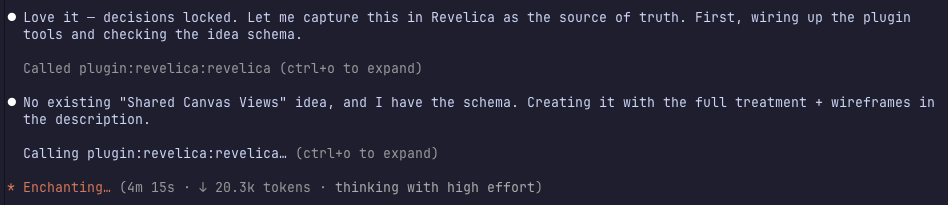
Ideas rarely start in a product tool
Your coding agentThis one started as a design session in Claude Code. After some technical decisions were made, the agent saved the idea straight into Revelica through the MCP plugin: full treatment, wireframes and all.
- 2
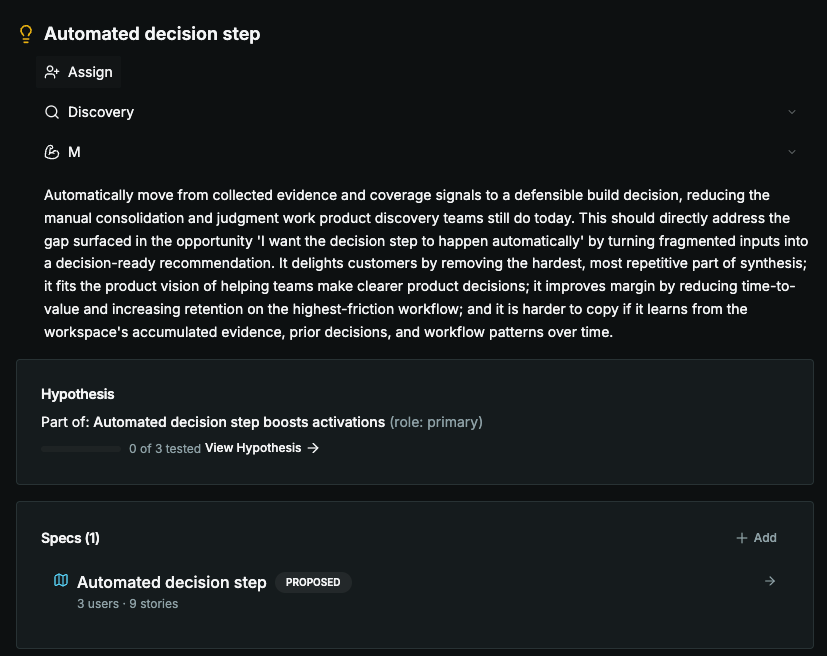
A real home for the feature
RevelicaThe idea lands in the workspace with the problem, the bet, and the wireframes as the source of truth. No more digging through chat history to remember what was decided.
- 3
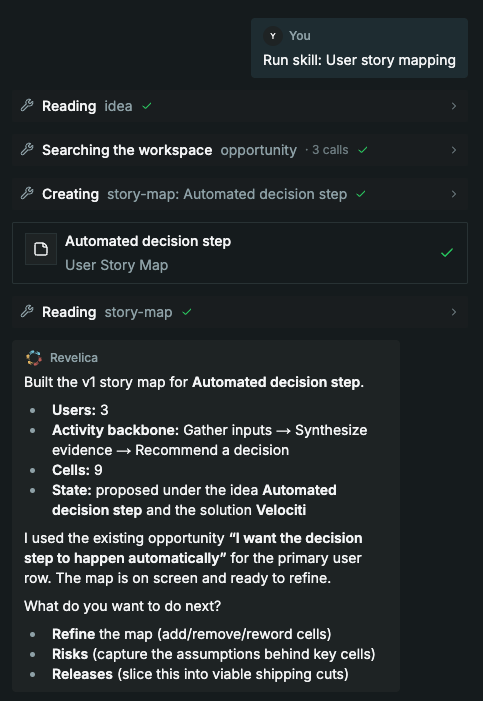
Agent skill for creating story maps
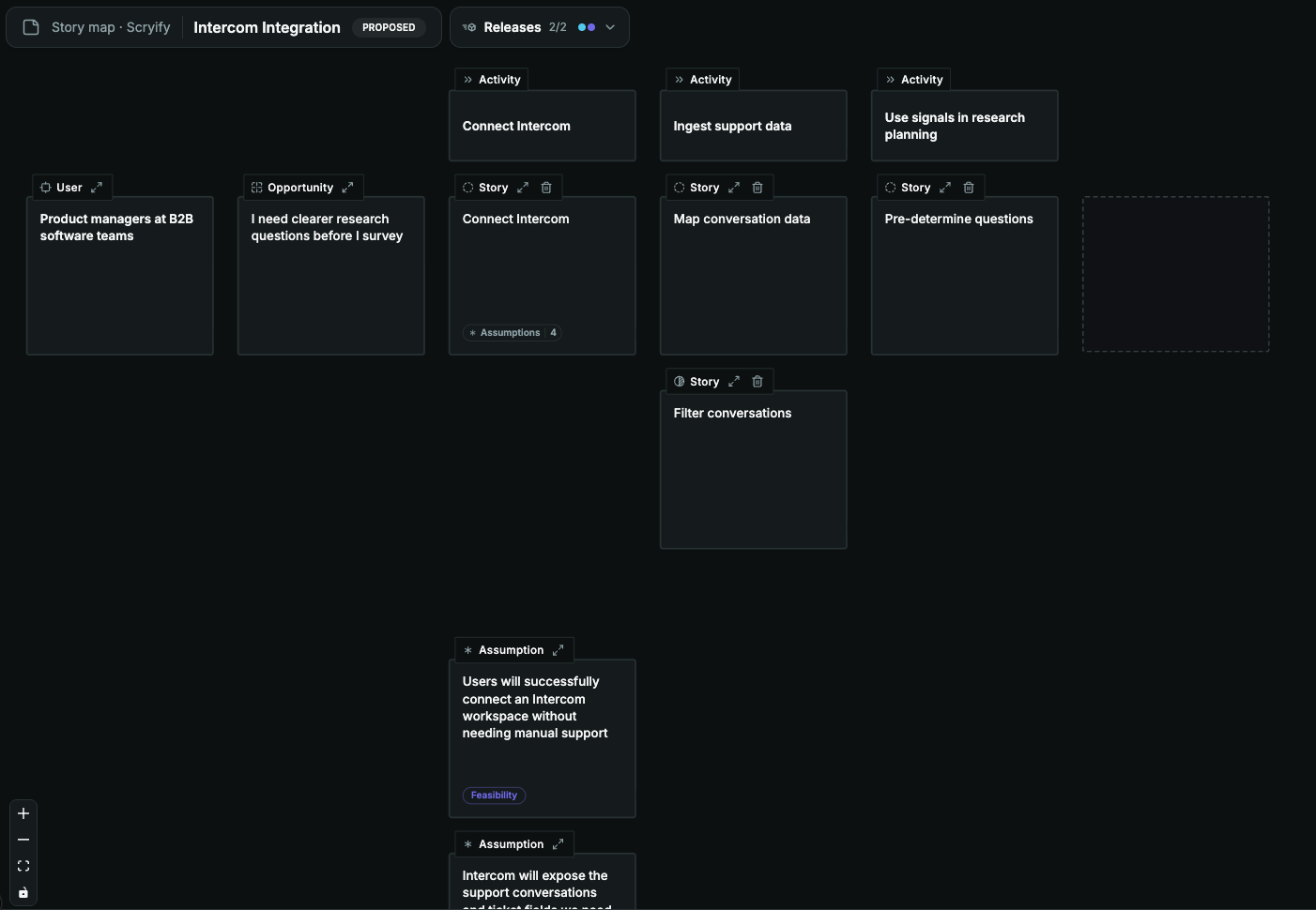
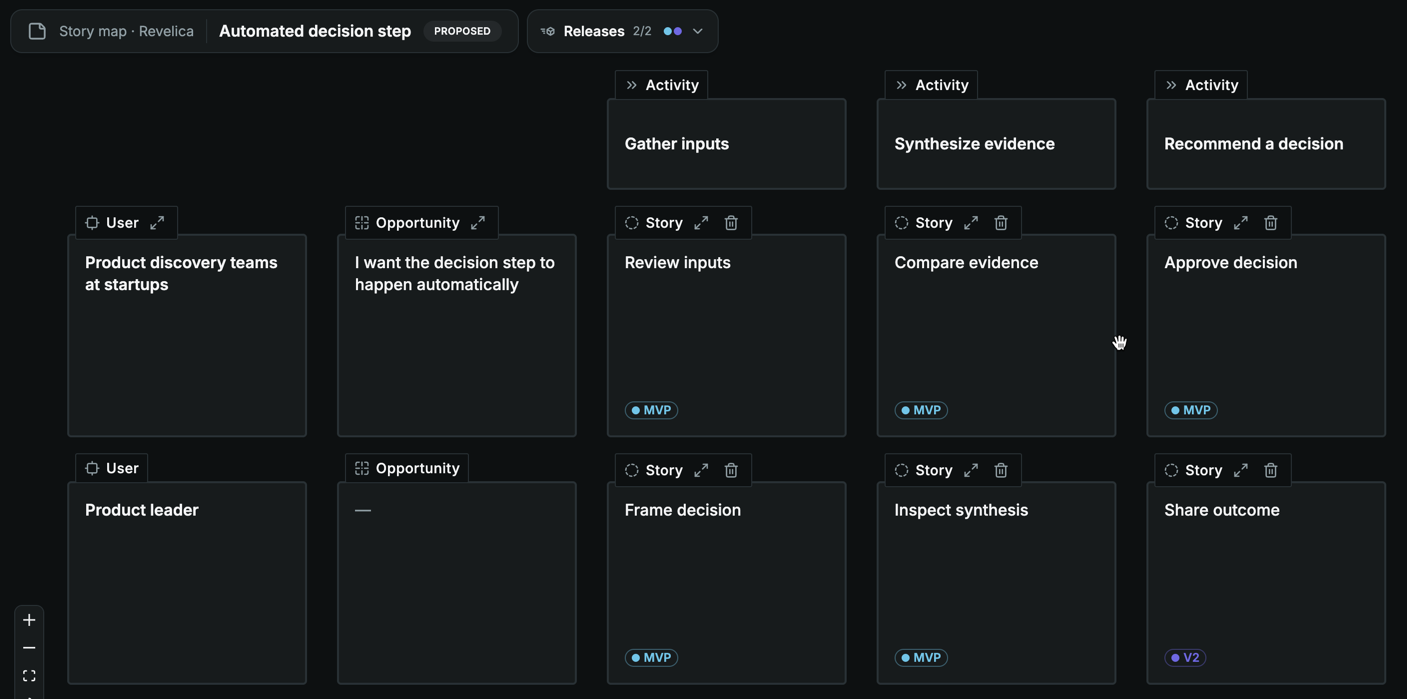
Any agent can turn ideas into a Revelica story map: users as rows, the activity backbone across the top, and a story in every cell. A complete first cut in one shot, ready for you to refine with the product agent.
- 4
One map, live everywhere
The same story map is live in the Canvas and the coding agent plugin at once: you and a teammate, or just you moving between the two. Revelica tracks who changed what and syncs every edit across both in real time, so edits never clash and no one builds off a stale map.
- 5
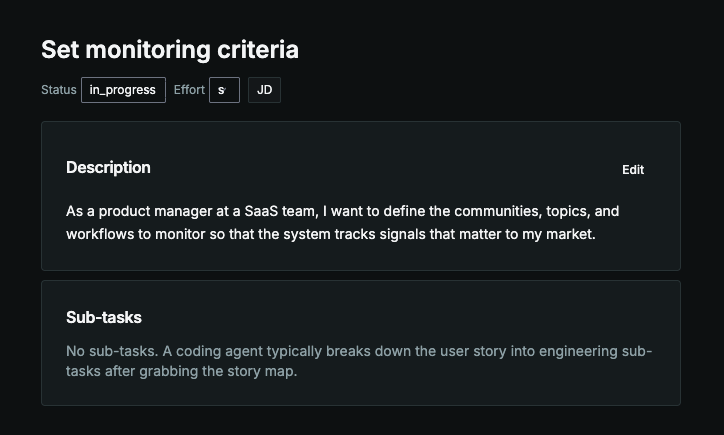
Every cell is a real story
Zoom in and each cell is a user story tied to a user and the opportunity it serves. Edit anything in place; the agent sees your changes and keeps the map coherent.
- 6
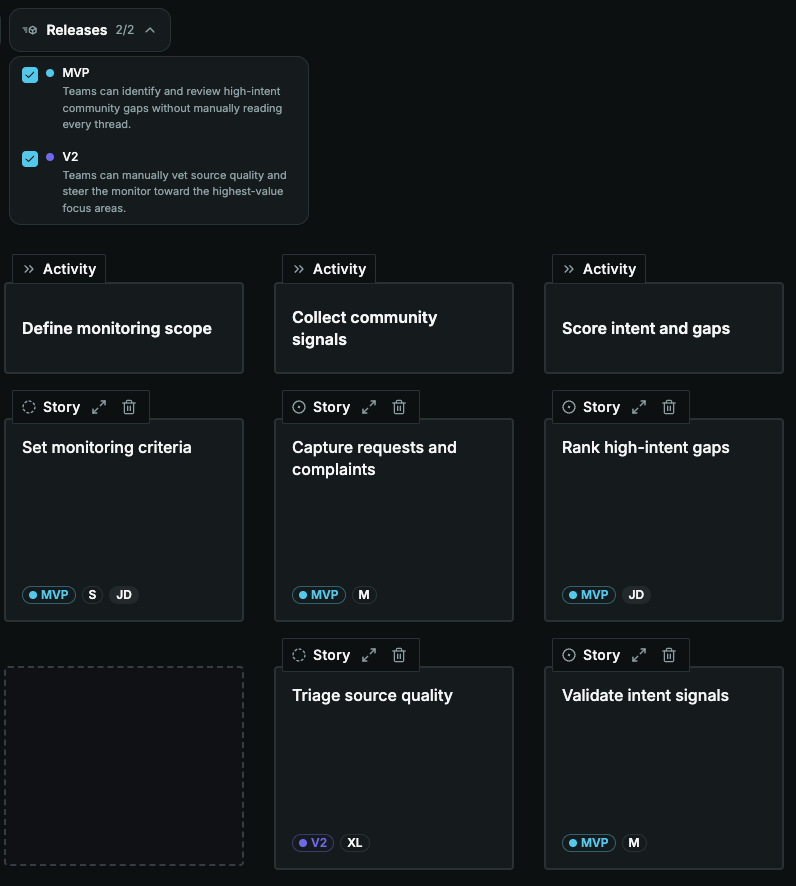
Figure out what you need to build first
It’s usually wise not to build a whole idea at once, but it is still helpful to think about the future and document where things could go. Just prompt the agent to make a release and tag the stories for you!
- 7
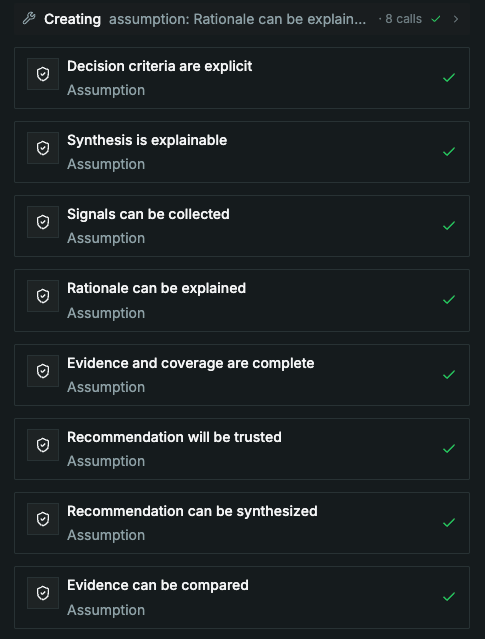
What could go wrong?
The agent works the map with the classic prompts: what else might this user do? What about a different user? What could go wrong? On the riskiest cells it writes explicit assumptions you can test before anyone writes code.
- 8
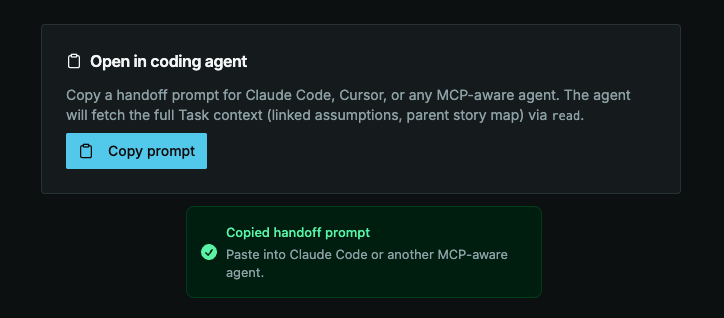
Keep the future plans in context
Your coding agentAsk your coding agent to build one release knowing they can still see what’s coming next so they make smarter decisions that avoid tech debt.
- 9
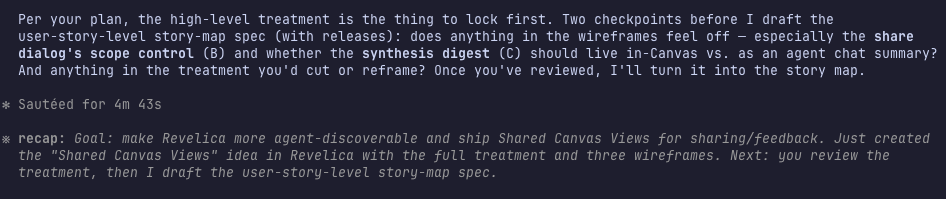
The spec writes itself
The finished map exports as a requirements spec attached to the idea. Users, stories, releases, assumptions: everything a coding agent needs to build the right thing.
- 10
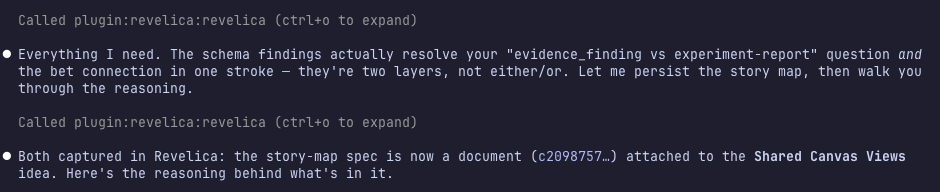
Your coding agent updates as it builds
Back in Claude Code, the agent pulls the requirements over MCP, plans the build, and writes implementation plans and status back. Product context flows out, build context flows back.
Why the right spec saves more time than it takes
A spec is not documentation for its own sake — it is a forcing function that surfaces implicit assumptions before implementation exposes them. The most valuable part is the Decisions log: each decision recorded with a one-line rationale so future readers know what was already considered and rejected. Without it, the same decisions get relitigated in every standup, design review, and code review. A good spec stops that cycle by making the thinking visible once and available to everyone who picks up the work.
Who it's for
Most valuable when an idea has passed discovery and the team is ready to commit to a direction. Too early and the spec will be rewritten; too late and the team has been building without alignment.
Frequently asked questions
- What should a product spec include?
- A good product spec covers: Why (the motivation and problem), Goals (the metric or outcome being targeted), Current state (what exists today and what is wrong with it), Proposal (what is being built and why this approach), and a Decisions log with rationale for each non-obvious choice. The Decisions log is the most underrated section — it prevents decisions from being relitigated in every review meeting.
- What is the difference between a PRD and a feature spec?
- A PRD tends to be broader — covering the full product or a major initiative — with more emphasis on market requirements and stakeholder alignment. A feature spec is narrower and more implementation-focused: it is written for the team doing the work, captures design decisions, and serves as the reference document during build and review.
- How long should a feature spec be?
- Long enough to answer the questions that will come up during implementation — no longer. Most feature specs are one to three pages. If it is longer, you are probably over-specifying implementation details that engineering should own. If it is shorter, you are likely missing the decisions section that prevents the spec from becoming obsolete the moment someone asks why you did not do it a different way.