
Revelica in Claude
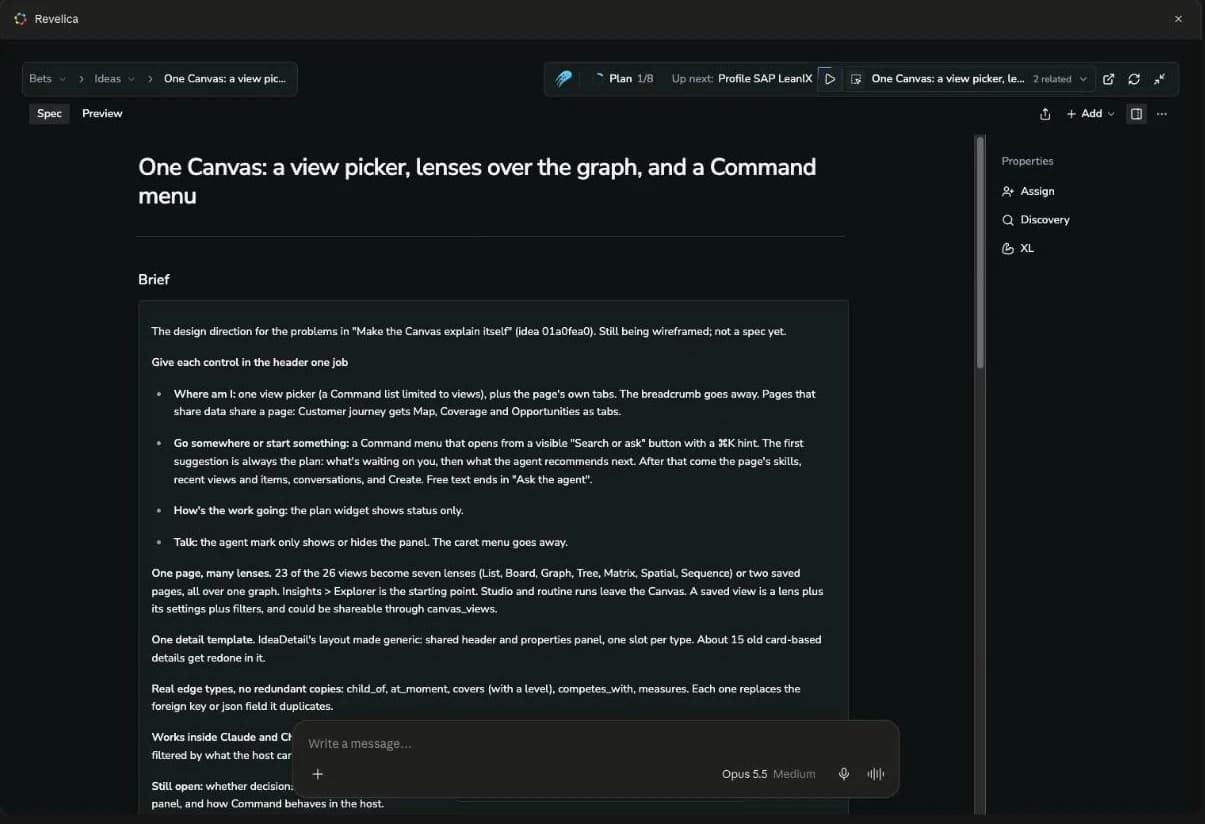
Claude works from your team's goals, bets, research and specs, follows Revelica's product skills, and opens the live Canvas right in the conversation.
14-day free trial, no credit card.
What Claude can do with Revelica
Work from what your team knows
Claude reads and saves goals, bets, customer research, competitive analysis and specs, so a conversation starts from your workspace instead of a blank page.
Follow the playbook for the job
Revelica's product skills let Claude plan work toward a goal, frame a bet, write a spec or design an experiment. Skills ask you questions in chat and wait for your answers.
See the record, not a wall of text
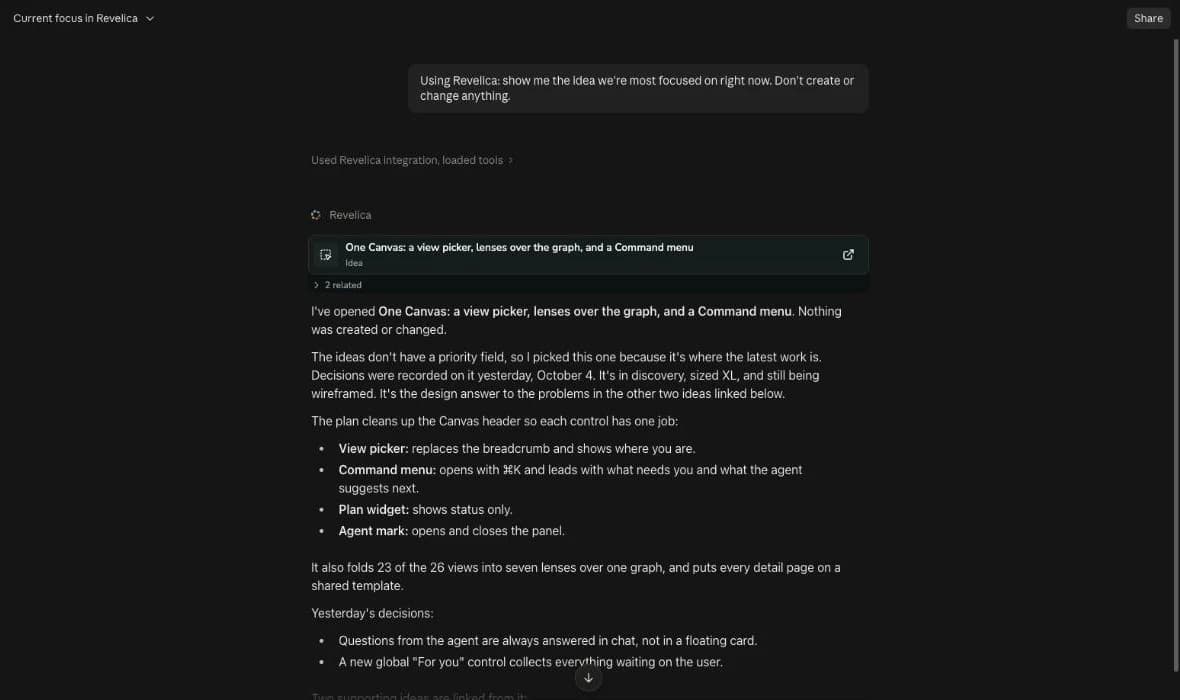
Ask Claude to show a record and it appears as a card. Open the card for the live, editable Canvas beside the conversation.
Where it works
| Where | The Canvas | How Revelica connects |
|---|---|---|
| CoworkBest for product work | Inline and fullscreen | Through the Revelica connector in the Claude apps, so add that first. Cowork works on claude.ai and in Claude Desktop. |
| Claude apps (web, desktop, mobile) | Inline and fullscreen | As a connector from Claude's directory. |
| Claude Code | Inline and fullscreen in Claude Desktop. An “Open in Revelica” link in the terminal. | As a plugin from the Anthropic Directory. |
Connector or plugin?
The connector
The connection itself. Claude can read and save your workspace, show records on the Canvas, and load every Revelica skill.
The plugin
The connector plus three starter skills: drive-product-outcome, ingestion and interview-snapshot. Installing it in the Claude apps sets up the connector for you, and in Claude Code it's how you add Revelica.
Privacy
Every request runs as you, and Revelica only sees what a tool is called with: never your chat history or local files. Revelica is a Community listing in Claude's directory, which means Anthropic screened it automatically but hasn't reviewed it in depth.