Opportunity Solution Trees are first class
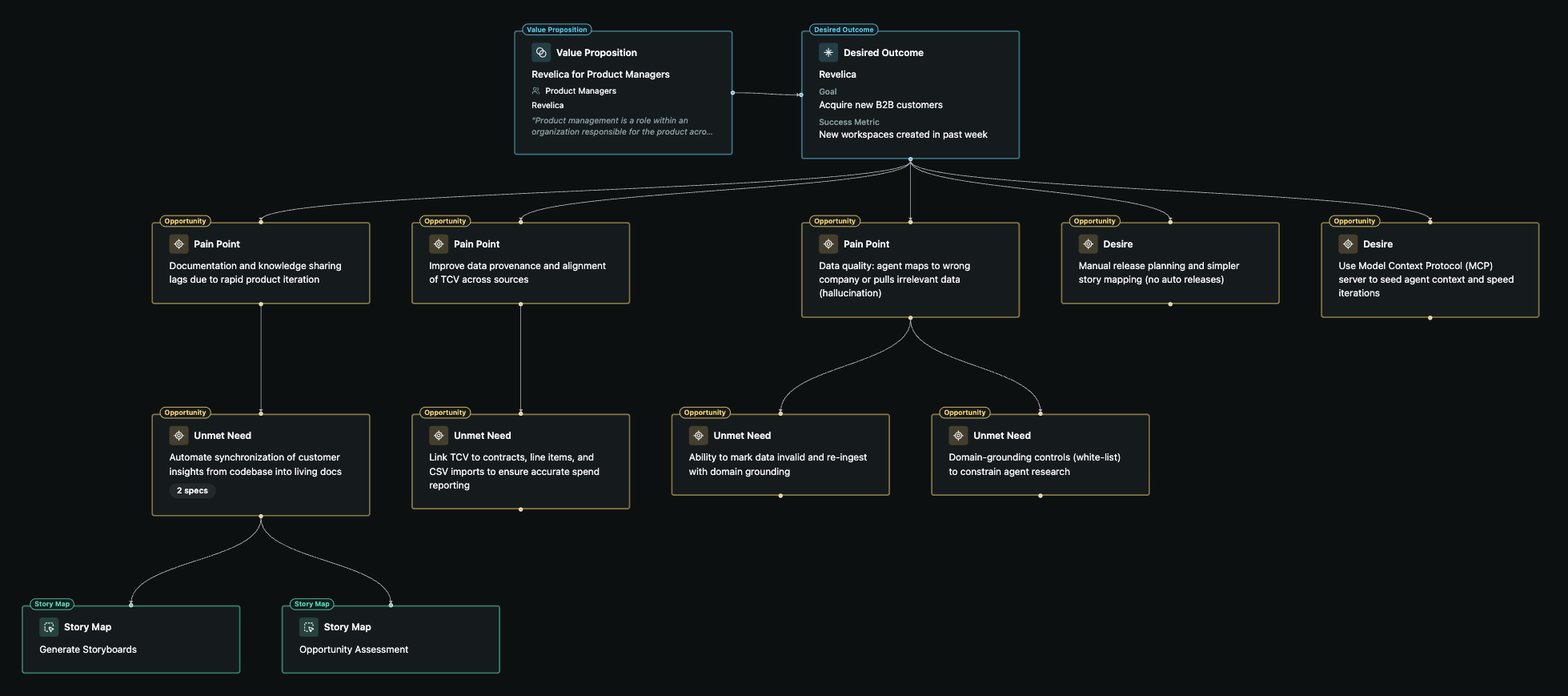
Each teamspace now has an Opportunity Solution Tree (OST), the graph from Teresa Torres' Continuous Discovery Habits1: the outcome you're working toward, the opportunities behind it, and the solutions that address them.
Teams that use OSTs usually keep them in a separate tool, which means another copy of the data to sync, and the tree is slow to set up and drifts as the team gets busy. In Revelica the tree is a view of the work itself.
One tree per teamspace
The OST is a native view for each teamspace and its desired outcome. Create separate teamspaces to keep opportunities and solutions for different areas from crowding each other.
Stays in sync
The tree updates as you work in Revelica: synthesizing customer research into opportunities, writing solution specs, and finding and testing the assumptions behind them. There's nothing to rebuild by hand.
Navigate from the graph
Open any node from the tree to see its details. Some open full screen and some in a side panel, so you can check an opportunity without leaving the graph.
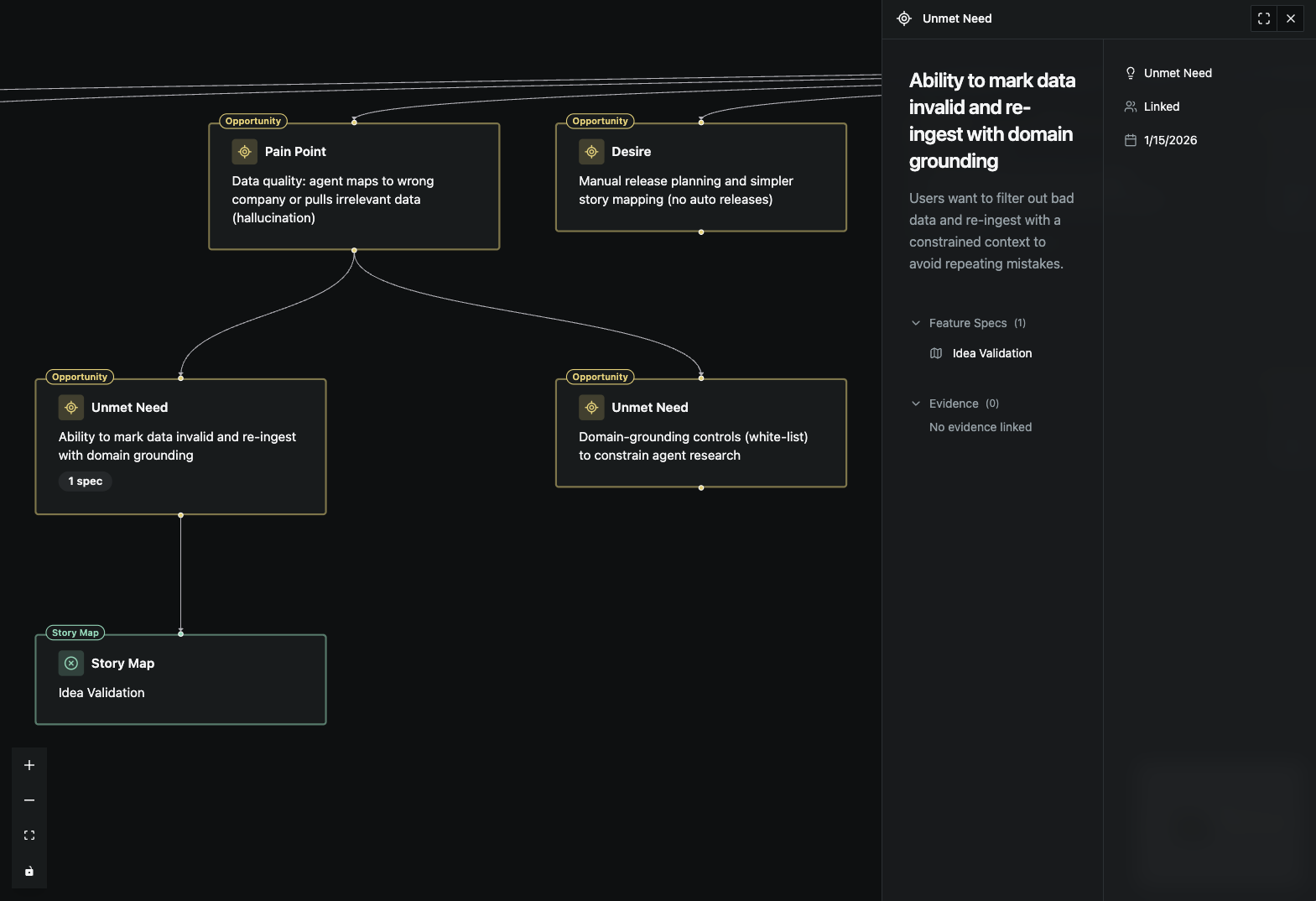
Share it with the team
Each teamspace has a link to its OST that you can drop into Slack or Teams. The link isn't public, so the tree is only visible to people in your workspace.