
The Canvas
How Revelica records show up in the app, inside Claude and ChatGPT, and in terminal agents.
The Canvas is where Revelica shows your workspace: goals, bets, research, and specs, with the records they connect to. You use it in the Revelica app, and your agent can show it inside the conversation.
In the Revelica app
The Canvas is the app's main workspace, with Revelica's own agent beside it. Open it at app.revelica.com.
Inside your agent
When an agent shows a record with the show tool, apps that can draw it put a
card in the conversation with the record's icon, name, type, and related
records. Ask your agent to show a record when you want it in view. Reading and
saving records doesn't add cards, so the conversation stays readable.
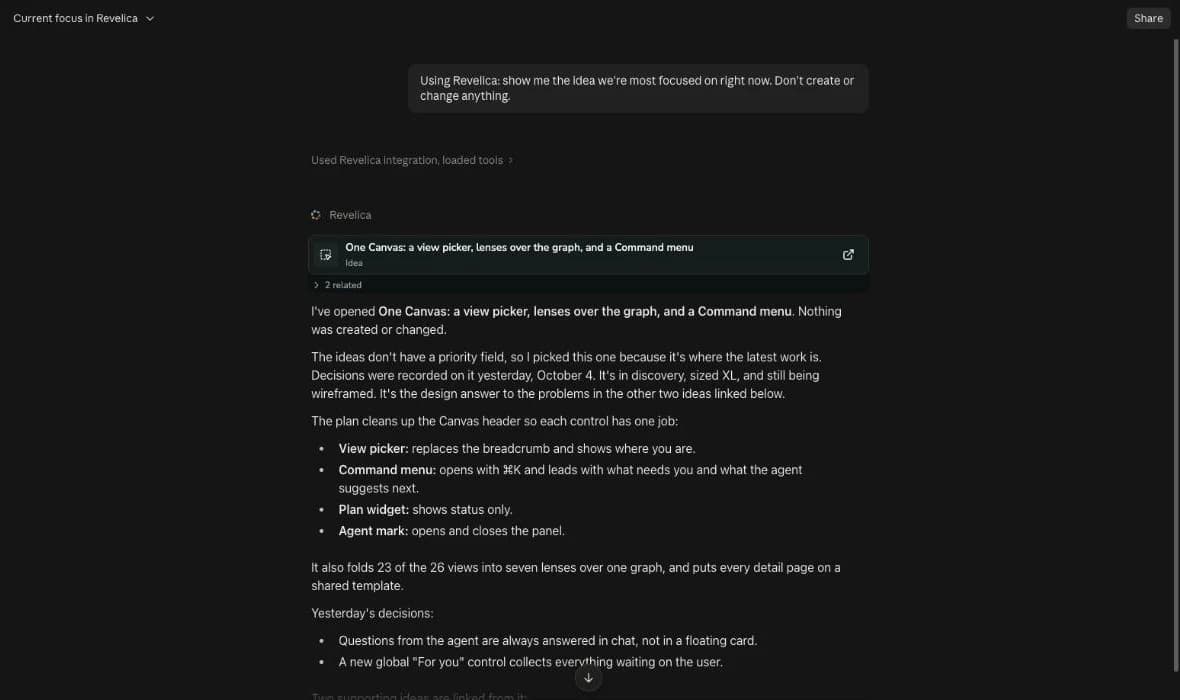
Open the card for the full Canvas beside the conversation. It's the live, editable Canvas from the app, and it updates in real time.
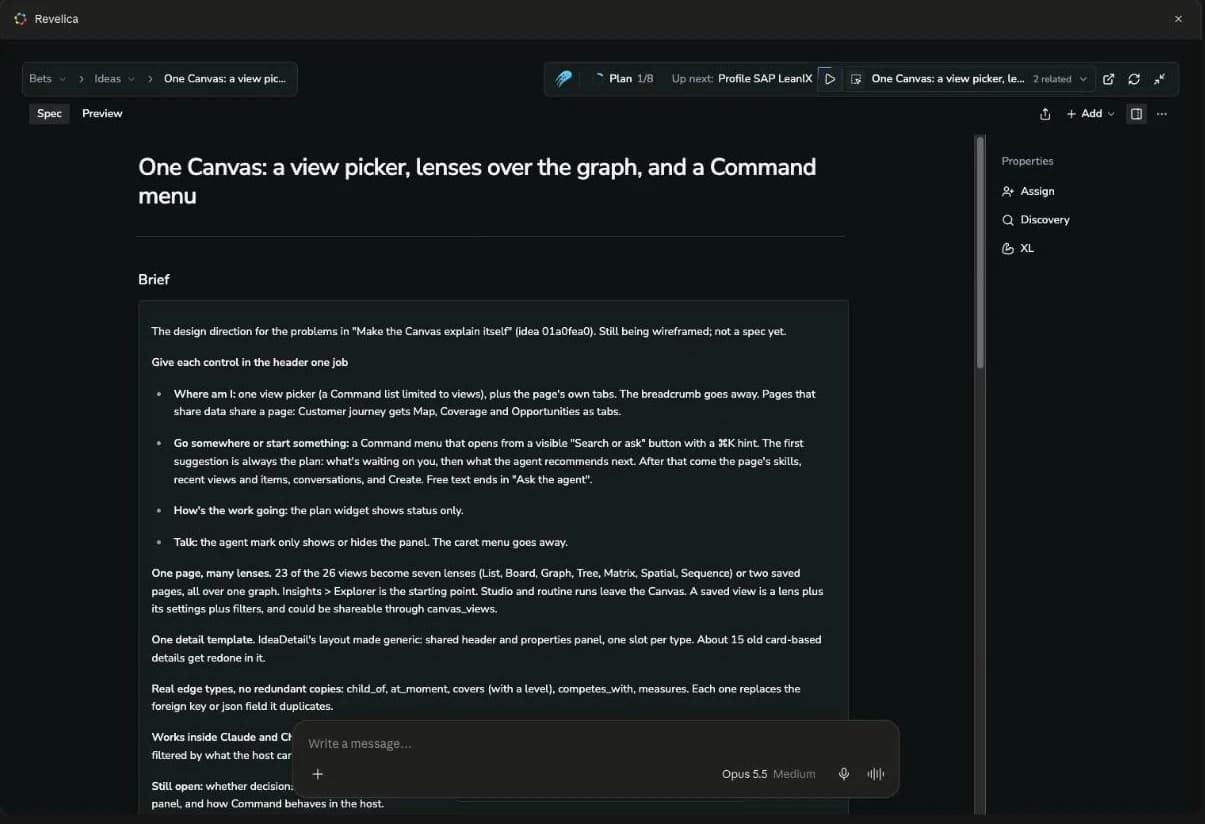
Where it shows
| Where | What you see |
|---|---|
| Claude apps, Cowork, and Claude Desktop's Code mode | The card inline, and the full Canvas |
| ChatGPT, once the plugin is published | The card inline, the full Canvas, and Revelica in the sidebar |
| Claude Code, Codex, and other agents in a terminal | An "Open in Revelica" link to the record |